Features
Everything a real estate marketing company runs on, connected
Built around how plots, houses and shops are really sold in Pakistan: on behalf of developers, for a commission, with agents in the field and owners who need the full picture.
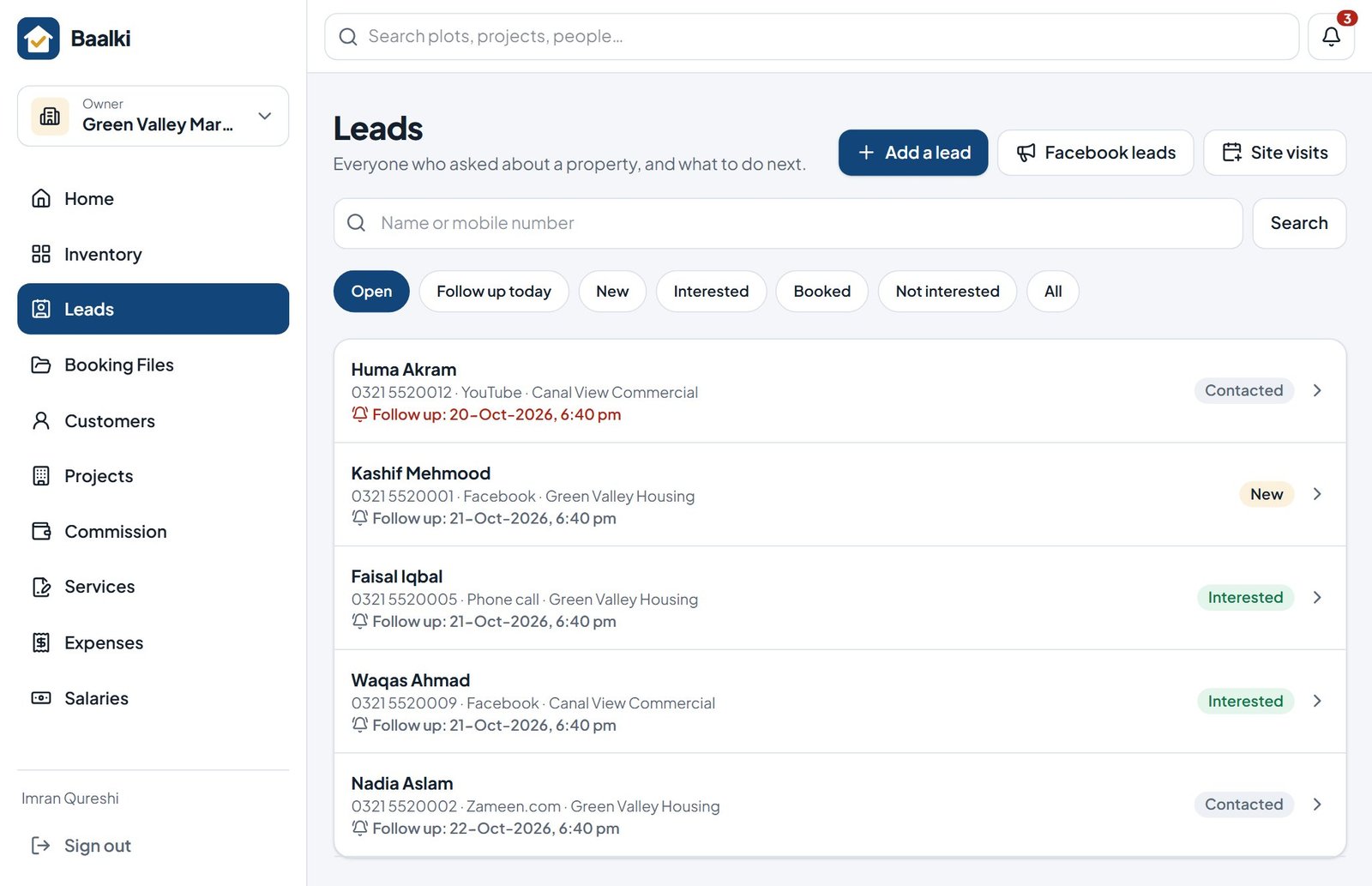
Capture and manage leads
A pipeline where no enquiry is forgotten
Enquiries scattered across phones, pages and notebooks are enquiries you cannot manage.
Every enquiry is recorded once, with where it came from and what the buyer wants. Follow-up dates and statuses keep the whole team honest about what happens next.
- Lead source, project interest and budget on every record
- Statuses from New to Booked, with follow-up reminders and filters
- Site visits planned, recorded and costed, with optional GPS check-in
- Facebook lead-form exports imported in one step (direct Page connection coming soon)
- Marketing performance: which sources bring visits and bookings
Control inventory and reservations
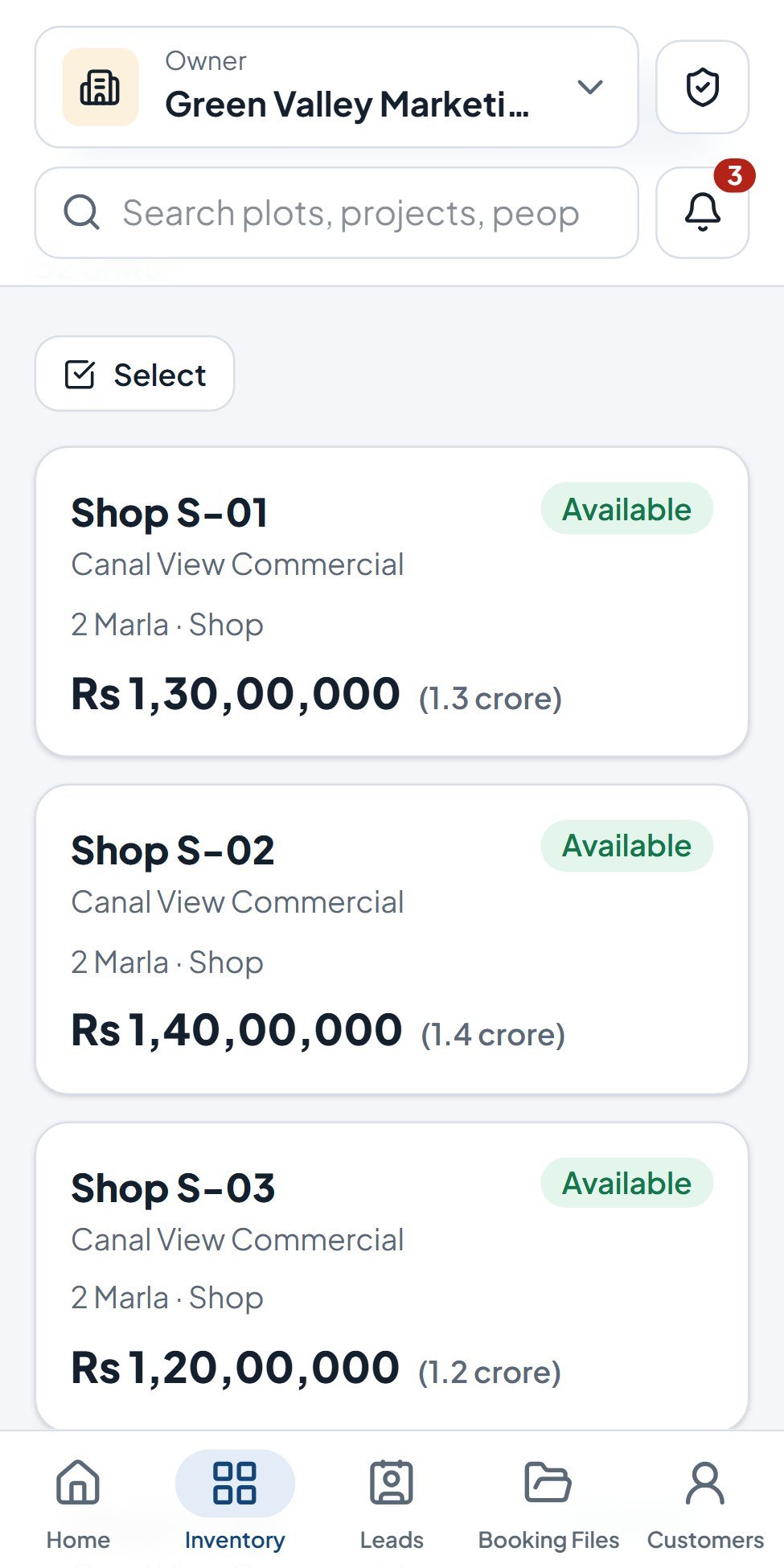
Live inventory, holds that release themselves
When availability is unclear, the same unit gets promised twice.
Projects, plots and units with prices and statuses your whole team sees in real time. Holds stop a unit being sold to someone else, and expire on their own when no booking follows.
- Available, on hold, booked, sold and blocked states
- Hold duration and per-person hold limits set by the owner
- Units added one by one, as numbered ranges or from Excel
- Bulk price changes and one-tap WhatsApp sharing of unit details
- Society map with live colours, and an offline copy for site visits
Turn reservations into Booking Files
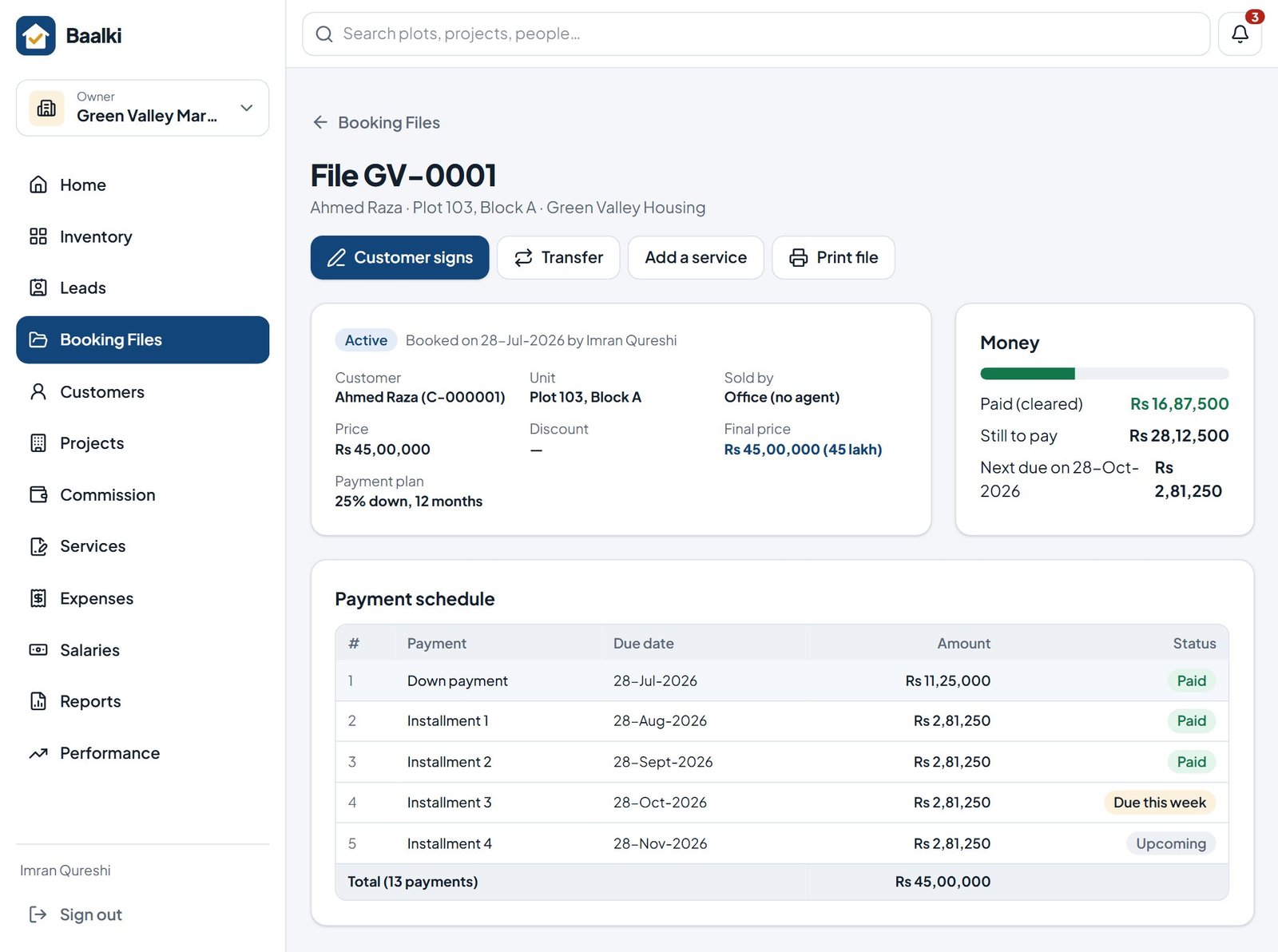
A complete Booking File in three steps
Choose the unit, the customer and the price with a payment plan. The unit is booked at once, every buyer gets a Customer ID, and the full installment schedule is ready to print.
- Ready-made payment plans, or your own with a live preview
- Customer records with CNIC checks, nominee details and photo
- Printed Booking Files and receipts with your logo, a QR code and a Verification Code
- Transfers that keep the file number and retire the old papers
- Transfer fees and legal documents filled in from the file
Track money and approvals
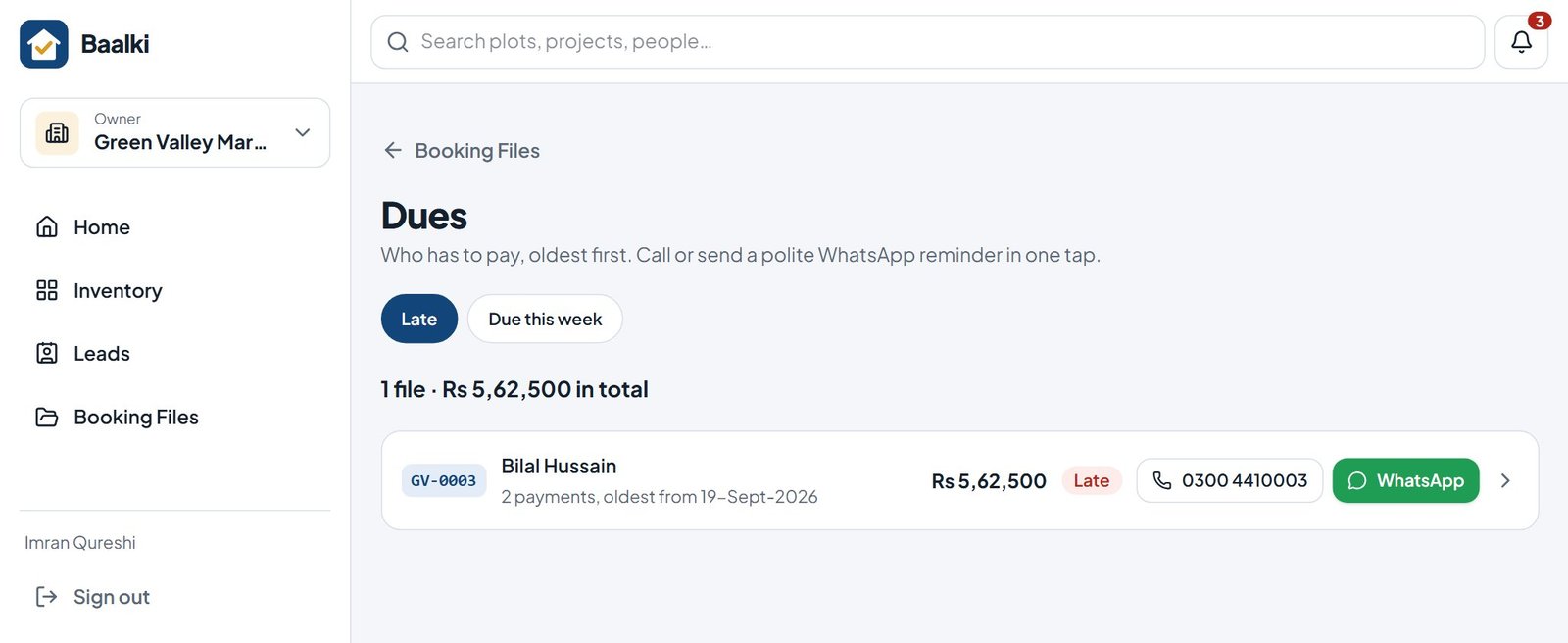
Collections, dues and approvals in one place
Every payment is recorded against its file. Cheques are followed until they clear, late installments surface automatically, and large outgoing amounts wait for the owner.
- Cash, bank transfer and cheque receipts, with deposit, clear and bounce tracking
- Dues and late payments, oldest first, with WhatsApp reminders
- Owner approval above the limits you set for payouts, developer transfers and refunds
- Developer money tracked separately from the company’s own
- Money notifications and a daily summary for the owner
Recover late payments
Late payers, step by step, every morning
Late buyers are chased from memory: some get three calls, others none, and promises are forgotten.
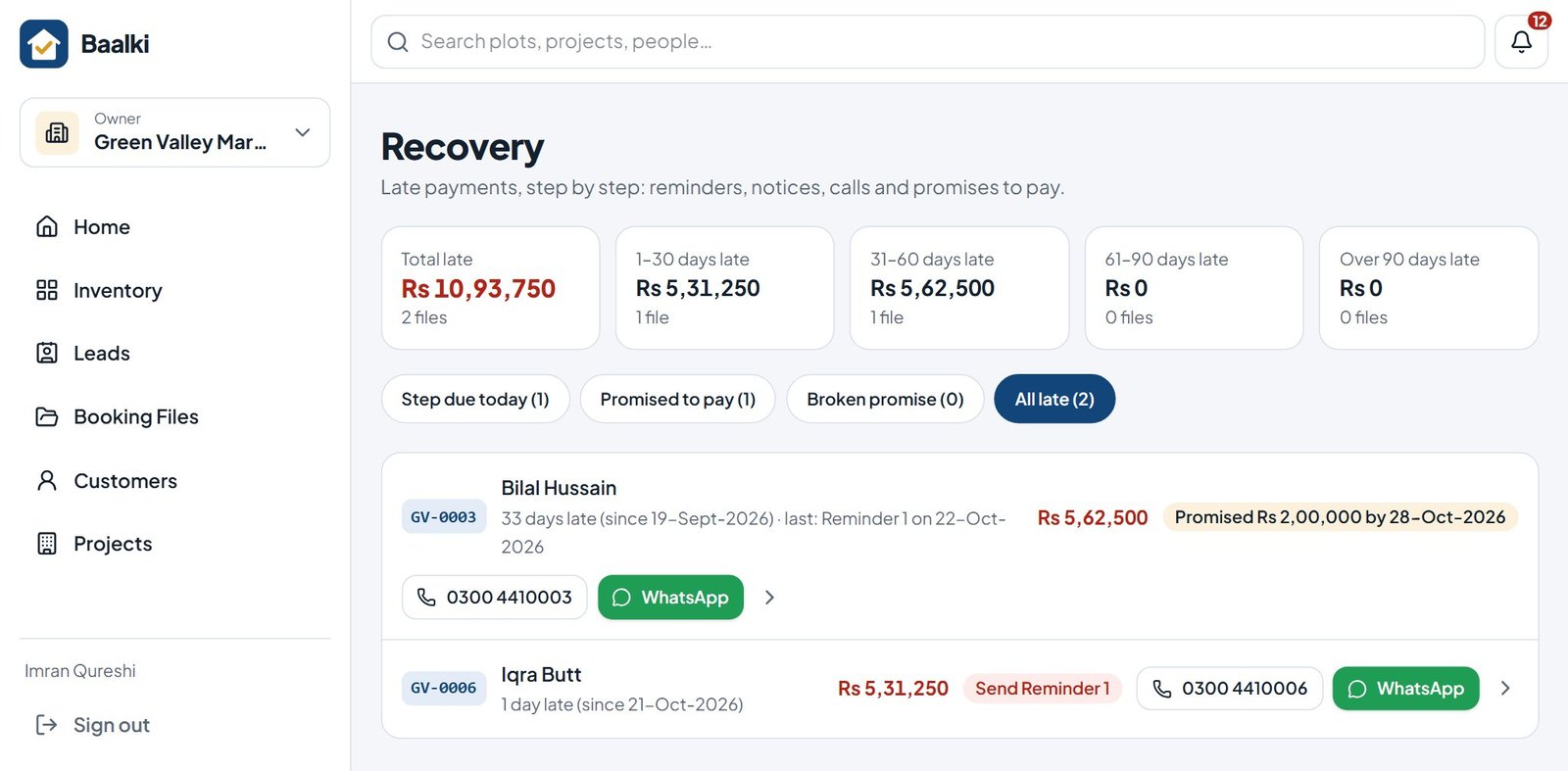
The Recovery page shows every late file, how late it is and the next step to take today. Each reminder or notice is numbered, saved on the file, and ready as a WhatsApp message and a letter on your letterhead.
- Late money split into 1–30, 31–60, 61–90 and over 90 days
- Reminder 1, Reminder 2, final notice and cancellation notice, with timings you set
- Calls, visits and promises to pay recorded; broken promises flagged
- A notice never cancels a file by itself: the owner decides
- Agents see their own late buyers and record their calls
Give buyers their own view
A buyer portal with your name and logo
Buyers call the office to ask what they have paid, what is due next, or for a copy of a receipt.
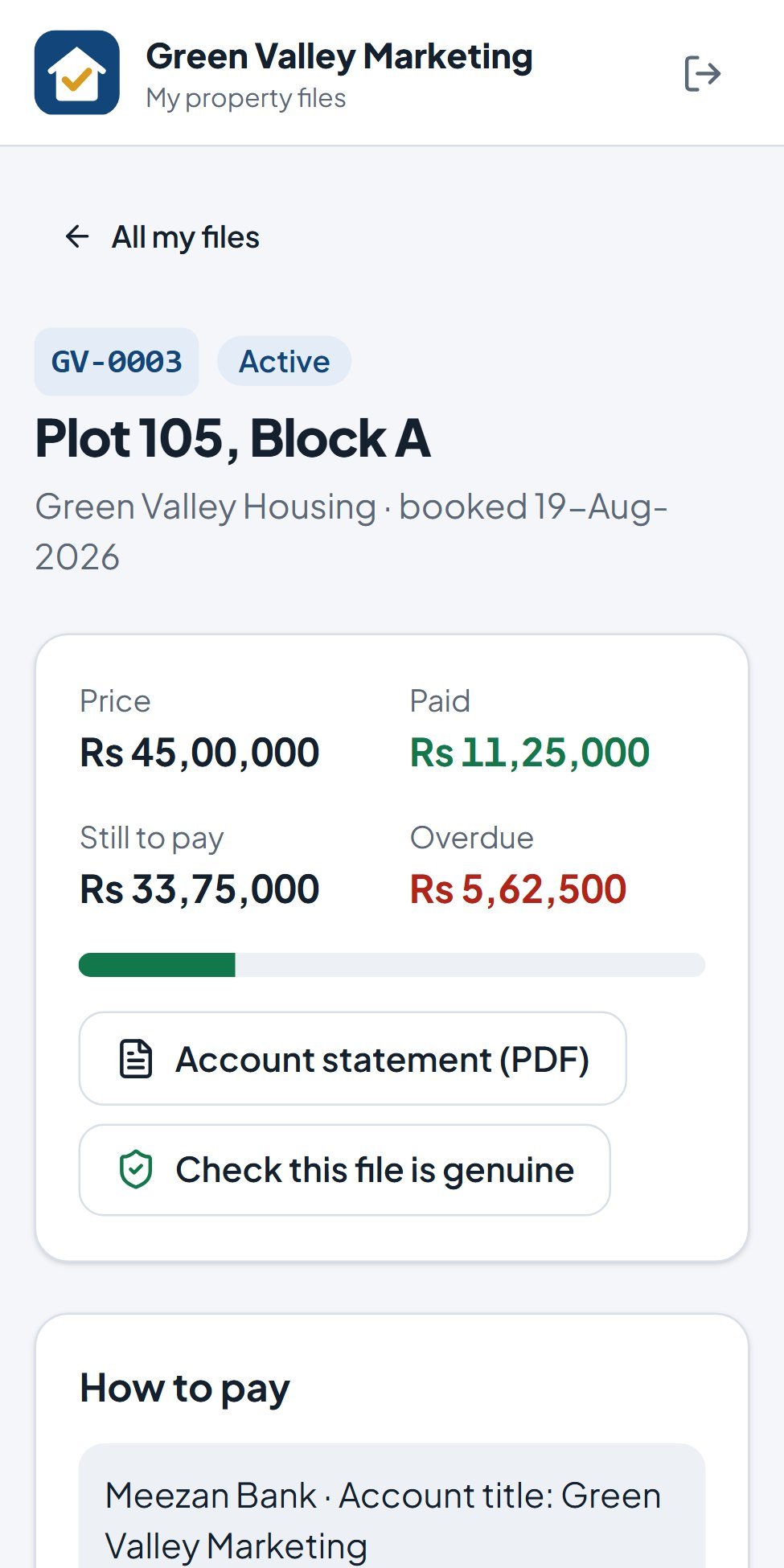
Each buyer sees their own files on their phone: what is paid, what is left, the full schedule, every receipt and an account statement. The office sends a private link on WhatsApp; the buyer confirms the last 4 digits of their CNIC and chooses a PIN.
- Your company’s name and logo, with a small “Powered by Baalki”
- Schedule, receipts with QR codes and a statement to save as PDF
- “Check this file is genuine” on every file
- Buyers send payment proof; nothing counts until your office records it
- Only files in the buyer’s name: after a transfer the old owner loses access at once
- No app to install and no SMS cost: the link goes on WhatsApp
Make commission understandable
Every rupee split by the terms you agreed
Commission disputes start when each side keeps its own numbers.
Set your commission with each developer and each agent’s rate once. Baalki splits every cleared payment into the developer’s money, the agent’s share and your company’s commission, and shows each person only their part.
- Proportional, commission-first or fixed-share methods per project
- Commission released only on cleared money; bounced payments reverse it
- Agent payouts in two taps, with printed payout slips
- Developer statements per project to reconcile together
- Cancellation deductions, refunds and sole-rights advances handled by the rules
Give owners the overview
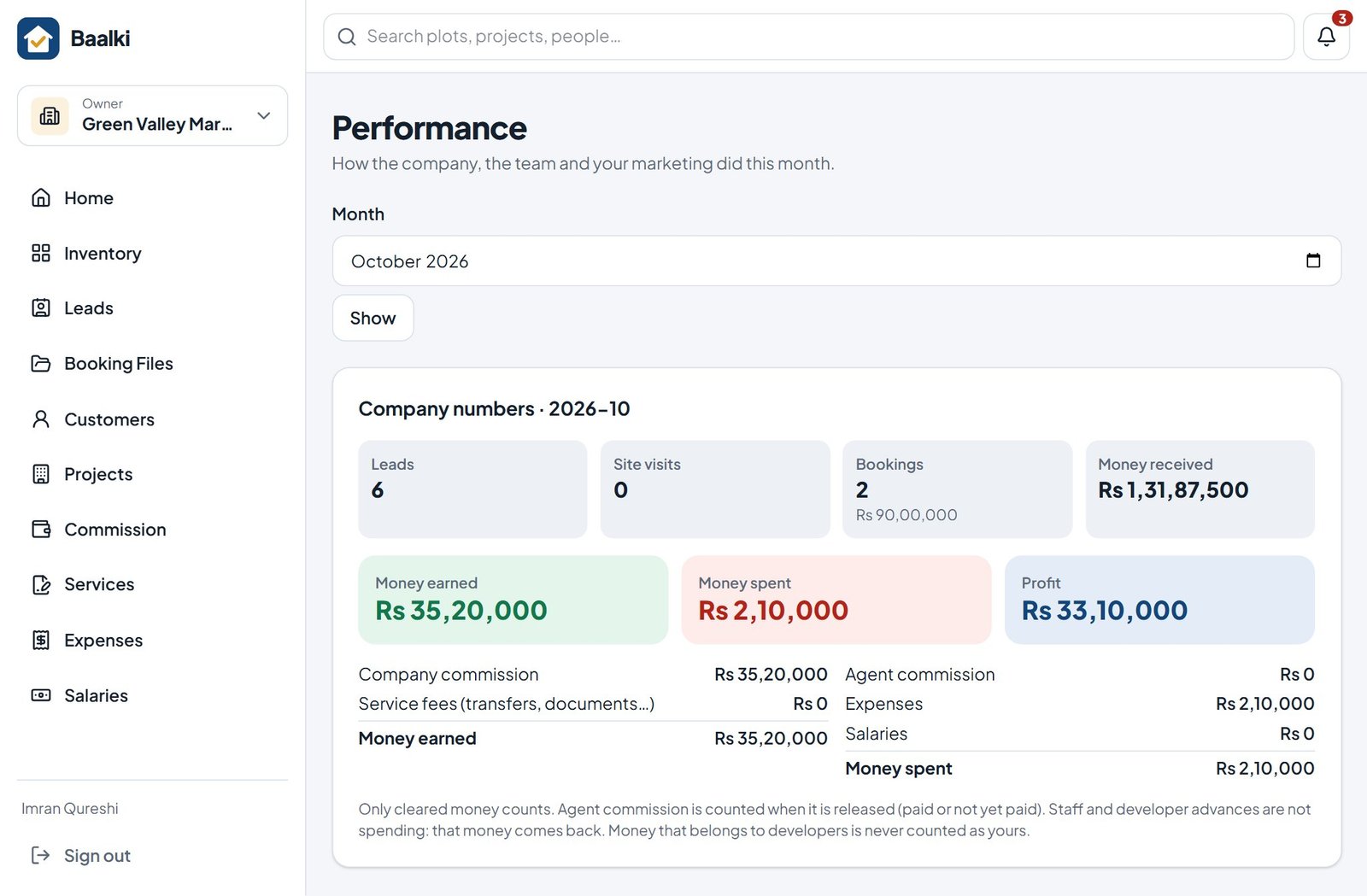
Real profit, not just sales
Expenses, salaries and marketing costs are set against the commission you earned, so you see profit per project and for the whole company.
Owner dashboard
Inventory, follow-ups, late payments, payables and company money on one screen.
14 ready-made reports
Sales, dues, cash book, project profitability and more; download for Excel or print.
Expenses and staff claims
Bills with photos, recurring costs and staff claims with approval.
Salaries and slips
Monthly salaries, advances and loans, with printed salary slips.
Targets and leaderboard
Monthly targets per agent and a leaderboard that keeps the team moving.
Register check
Compare Baalki’s monthly totals with your paper register while you switch over.
Set up teams safely
Grows from one office to several cities
Roles, branches and partner access keep every person focused on their own work and their own data.
Roles and permissions
Owner, manager, office, team lead, agent and dealer roles, each with its own access.
Branches
Each branch with its own staff, cash book and receipt numbers; the owner sees one or all.
Developer view
A private, read-only view for a developer you invite, limited to their projects.
Team invites by WhatsApp
Send each person a joining link; they choose their own password.
Works at the site
Inventory, maps and quotations stay available on the phone without signal.
Help when you need it
A Help Centre inside the app, and ‘Tell Baalki’ to reach our team directly.
Coming soon
Baalki Brain: an assistant inside the app
Ask how to do something, have a dashboard figure or a commission split explained, or get a summary of overdue follow-ups and payments, in plain language.
Designed to be safe
- Reads only what your role is allowed to see
- Never changes money, bookings or inventory without a person’s confirmation
- Shows the records behind every answer
Guides
Learn how each part works in practice
New to business software? Start with what a real estate ERP is and how to choose one. Then go deeper: a free plot booking form template, how to track installments and cut late payments, how commission works for marketing companies, turning Facebook leads into bookings and how buyers can check a plot file is genuine.
Next step
See Baalki working with your own projects
Book a 30-minute live demo. We walk through your sales and money workflow, answer your questions and recommend the right setup for your company.
15-day trial with every feature · No card required