How it works
From setup to daily operations, step by step
Baalki is set up around your company in days, then becomes the place where every lead, booking and payment is recorded, and every figure is calculated for you.
Guided first setup
Your company, configured the right way from day one
Our team works through these steps with you during setup, so your first booking is already correct.
- Company profileName, office address, phone and logo for every printed paper.
- DevelopersEach developer you sell for, with contact details.
- Projects and commission termsYour commission with each developer and how it is split.
- InventoryPlots and units added in ranges or imported from Excel.
- Holds and payment plansHow long a hold lasts, and the plans you offer buyers.
- Team invitesEach person joins with the role you choose.
- Existing customers and filesYour history imported, with payments already received.
- First lead or bookingYour team starts working in Baalki from day one.
Every day
One connected journey, from enquiry to commission
Each step uses the records from the step before, so nothing is re-typed and nothing gets lost between people.
- Enquiry capturedCalls, walk-ins, portals and Facebook lead-form exports, with source, budget and project interest.
- Follow-up scheduledEvery lead carries a status and a next follow-up date. Nobody is forgotten.
- Site visitPlanned and recorded against the lead, with optional GPS check-in at the site.
- Unit on holdAn agent holds a unit from their phone for a set time. It releases itself.
- Booking FileUnit, customer and payment plan in three steps, with the full installment schedule.
- Payments and approvalsReceipts and cheques recorded. Large outgoing amounts wait for the owner.
- Commission and developer shareEach cleared payment is split by your agreed terms: company, agent and developer.
- Owner dashboardInventory, follow-ups, dues, payables and profit, always current.
Behind the dashboard
How the numbers are worked out
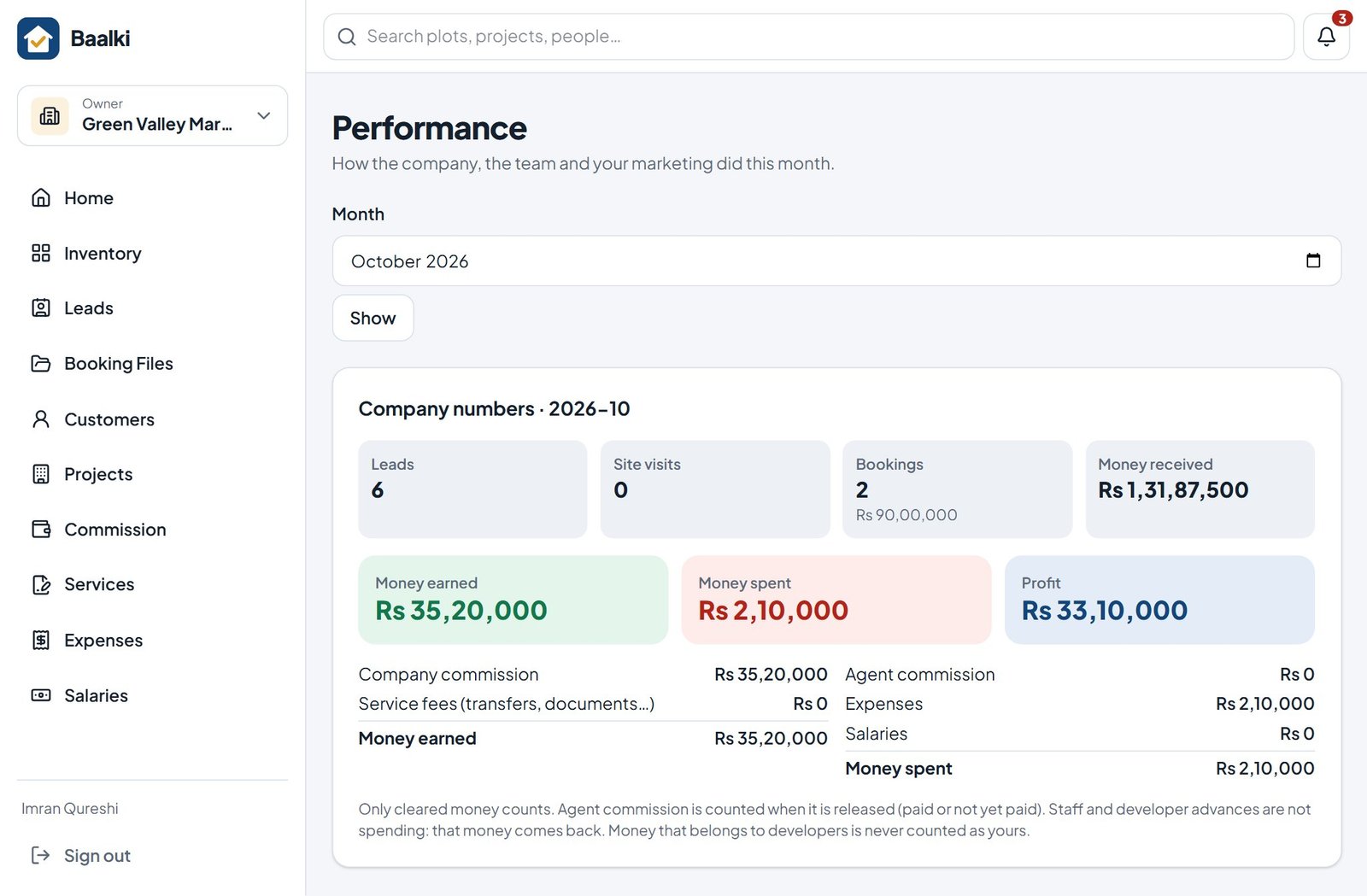
Baalki counts only money that has really cleared. When a customer’s payment clears, it is split by the project’s terms into the developer’s share, the agent’s commission and your company’s commission. If a cheque bounces after clearing, the split is reversed automatically.
- Developer money is tracked per project until you send it
- Agent commission is released as the customer pays, then paid out by the office
- Expenses and salaries are set against commission to show real profit
Watch the workflows
Three everyday jobs, start to finish
Short videos with captions, recorded in Baalki with sample data.
From enquiry to follow-up
Read the transcript
- Every enquiry in one list, with its source and next follow-up.
- A new enquiry from a Facebook ad: name, mobile number, project and budget.
- Set the next follow-up: Baalki reminds the team on the day.
- Today’s follow-ups are always one tap away.
Hold and book from the phone
Read the transcript
- Live stock on the phone.
- Hold the plot for a buyer: nobody else can sell it.
- Make the Booking File in three steps.
- Choose the payment plan: the full schedule is worked out.
- Booking File made: the plot is booked and the schedule is ready to print.
Payments and the owner’s view
Read the transcript
- Record a payment: the receipt, balance and dues update at once.
- Who is late, oldest first, with a one-tap WhatsApp reminder.
- Money earned, money spent and real profit for the month.
Two ways to start
Guided setup, or explore on your own first
Recommended
Live demo and guided setup
We demonstrate Baalki with your workflow, then set your company up with you: projects, commission terms, inventory, history and team.
- A tailored 30-minute demo
- Setup and data import done together
- Team walkthrough at go-live
Self-serve
15-day trial
Create your company account and explore every feature with your own data. Our team is available if you want help at any point.
- Every feature included
- No card required
- Your data stays if you continue
Next step
See Baalki working with your own projects
Book a 30-minute live demo. We walk through your sales and money workflow, answer your questions and recommend the right setup for your company.
15-day trial with every feature · No card required